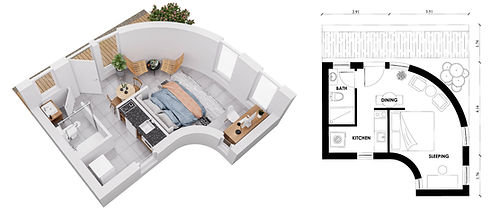
What to Send for Your 2D or 3D Floor Plans
You can start with a CAD file, PDFs, existing floor plans, or hand-drawn sketches. As long as the layout and key dimensions are clear, we can review your project and let you know if anything else is needed.
For 3D floor plans or more detailed 2D styles, you can also provide furniture, material, color, or style references.
A Simple Floor Plan Input Checklist
Layout
A CAD file, DWG, PDF, existing floor plan, or clear hand-drawn sketch.
Dimensions
Include overall dimensions and key wall measurements whenever possible.
Doors & Windows
Clearly mark openings and their approximate positions.
Room Information
Add room names or indicate how each space is intended to be used.
Style References
For furnished, colored, textured, or 3D plans, add furniture, material, or style references if available.
Viewing Angles for 3D Floor Plans
Steep, bird’s-eye, top, or perspective view if you have a preference.

Most common - Steep view

Bird's eye view

Perspective view

Top view
How to Prepare a Simple Hand-Drawn Floor Plan
If you don't have an existing floor plan, a simple hand-drawn sketch is enough to start. It doesn't need to look professional; it just needs to communicate the layout clearly.
Draw the Walls
Use graph paper if available and sketch the overall room layout.
Mark Doors & Windows
Show the approximate location and opening direction where relevant.
Add Fixed Fixtures
Mark kitchens, toilets, sinks, showers, stairs, fireplaces, and other fixed elements.
Add Dimensions
Include overall dimensions and key wall measurements.
Label the Rooms
Add room names such as Living Room, Kitchen, Bedroom, Bathroom, etc. Add furniture if available.
Common Symbols You Can Use
Simple shapes or handwritten labels are completely fine, clarity is more important than technical drafting symbols.


Make Your Floor Plan Easier to Review
Clear input
Readable layout, measurements, openings, and room names.

May require clarification
Missing dimensions, cropped drawings, unclear room functions, or unreadable references.
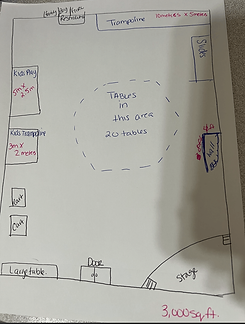
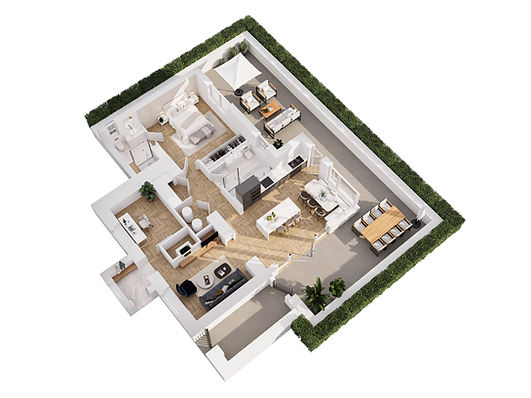
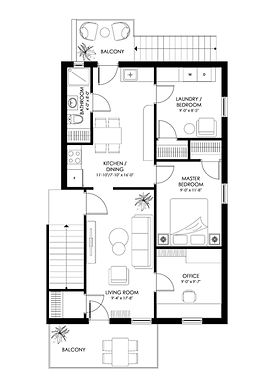
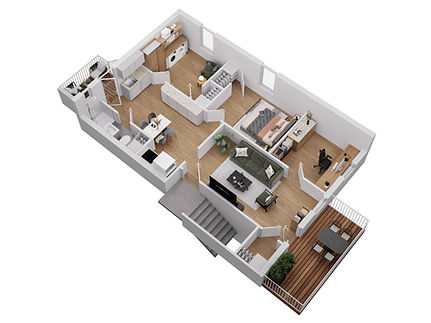
One Input - Different Visual Output
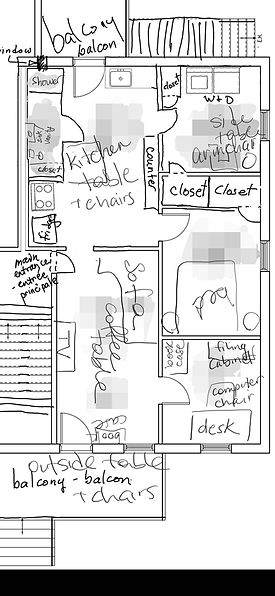
Start With What You Have
Send your available drawing, sketch, or reference files. We'll review the information and let you know if anything else is needed before production begins.